Comparison guide
Chaal vs Chessvision.ai: Which chess position scanner is best?
If you use an Apple device and mostly want a screenshot or printed diagram explained, Chaal is the more focused and less expensive option. Chessvision.ai makes more sense if you want Android, browser extensions, ebook tools, matching videos, or a game database.
How was this comparison made?
Kashi Works makes Chaal, so this guide is written from our perspective. Chessvision.ai details come from its US App Store listing and official documentation. We call out where Chessvision.ai does more, and we do not claim that Chaal has more accurate recognition or a stronger chess engine because we have not run a controlled benchmark.
Which app wins at a glance?
- Chaal Pro costs $2.99 monthly; Chessvision.ai costs $5.99 monthly.
- Chaal confirms uncertain squares before analysis and explains the result in one flow.
- Chessvision.ai wins for Android, browsers, ebooks, matching videos, and game search.
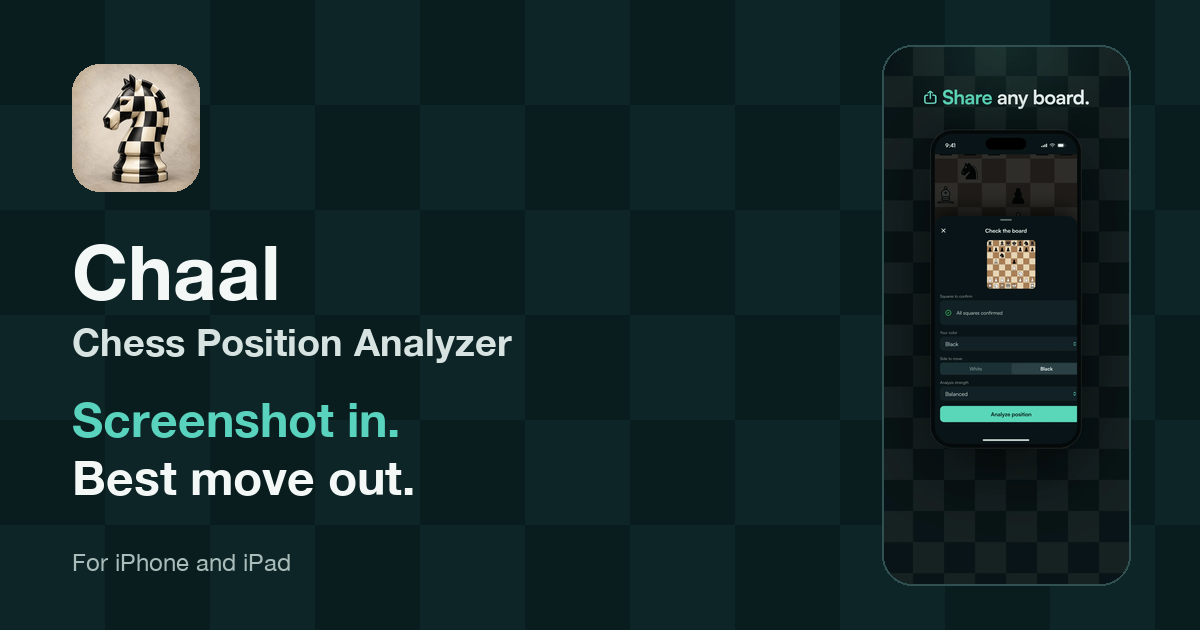
How do Chaal and Chessvision.ai compare?
| Question | Chaal | Chessvision.ai |
|---|---|---|
| Best for | Focused image-to-explanation workflow on Apple devices | Scanning plus videos, games, ebooks, and browser tools |
| US price | $2.99 monthly | $5.99 monthly or $45.99 yearly |
| Image inputs | Photo, pasted image, Photos, share sheet, or image link | Camera, gallery, share sheet, browser extension, or ebook reader |
| Position inputs | FEN and PGN | FEN and PGN |
| Uncertain squares | Highlights the squares that need confirmation | Official guidance suggests retaking or straightening an imperfect photo |
| Results | Best move, alternatives, evaluations, winning chances, and explanation | Engine information, Lichess tools, matching videos, and matching games |
| Sharing | Shares the analysis with moves and evaluations | Shares scanned diagrams and exports positions for further study |
| Platforms | iPhone, iPad, Apple silicon Mac, and Apple Vision | iOS, Android, Apple silicon Mac, Apple Vision, browsers, and web tools |
Which app is easier for screenshots and printed diagrams?
Chaal has the shorter mobile workflow. Take a photo, paste an image, choose one from Photos, share one from another app, or paste an image link. Chaal recognizes the position on your device, asks for confirmation when needed, and moves directly to analysis.
Chessvision.ai also handles screenshots and printed diagrams well. Its mobile guide supports camera photos, gallery images, and images shared from other apps. It can also scan diagrams that are slightly rotated or skewed.
After the scan, the apps head in different directions. Chaal stays with the position in front of you. Chessvision.ai opens into a larger study system with video search, historical games, and a diagram library.
What happens when the scanner gets a square wrong?
Chaal's confirmation flow is its clearest advantage. When recognition is unsure, Chaal highlights the affected squares. You correct those squares and choose the side to move before analysis starts. You do not have to inspect and rebuild every piece.
Chessvision.ai's official instructions say to point the camera straight and keep the diagram flat when a result is imperfect. Its analysis board then provides the scanned position and engine tools.
A blurred screenshot, unusual piece set, page crease, or poor photo can trip up any scanner. Chaal treats the correction as a normal step and points to the squares you need to check.
Which app gives you a clearer answer?
Chaal is more direct when you want an answer rather than another analysis workspace. It presents the best move, alternatives, evaluations, winning chances, and a plain-language explanation. You can continue the suggested line or share the result with the moves and evaluations included.
Chessvision.ai gives you a broader set of ways to investigate. Its analysis board includes engine information, and it can find YouTube videos and historical games containing the same position. That is useful when you want to research where a position appeared or watch someone discuss it.
If you want to close the app with a clear answer, Chaal makes more sense. If the scan is the start of a wider search through chess content, Chessvision.ai has more places to go next.
How much do Chaal and Chessvision.ai cost?
As of September 10, 2026, the Apple App Store listing for Chaal prices Chaal Pro at $2.99 per month. The Apple App Store listing for Chessvision.ai prices its membership at $5.99 per month or $45.99 per year. Chaal is 50 percent less expensive month to month.
Twelve Chaal payments total $35.88. That is $10.11 less than the Chessvision.ai annual plan and $36 less than paying for Chessvision.ai monthly for a full year. Prices can change and may differ by region.
Chaal includes five free analyses and limited daily use of Continue the Line. Chaal Pro adds unlimited analyses, Deep analysis, and unlimited line continuations. Chessvision.ai offers free use, but its public US listing does not state the exact free scan limit. Membership adds unlimited scans, video search, and Video Board Explorer.
How do the apps handle your chess images?
Chaal recognizes screenshots and photos on your device. When remote analysis is requested, the app sends the confirmed chess position rather than the source image. The source file stays on your device even if it came from a private message, a paid course, or another app.
Apple's privacy labels show that neither app should be described as collecting nothing. Chaal's label lists purchases, identifiers, usage data, and diagnostics as data that may be linked to you. Chessvision.ai lists purchases, contact information, user content, and identifiers as data that may be linked to you, plus usage data that is not linked.
So the privacy comparison is narrow. Chaal explicitly keeps the screenshot or photo on your device and sends only the position for analysis. It would be misleading to say that either app collects no data.
When is Chessvision.ai the better choice?
Choose Chessvision.ai when you want a broader chess study ecosystem. It works on Android, has browser extensions, and can search for YouTube videos and historical games that match a position. Its library also supports saving diagrams and exporting positions to PGN.
Its ebook reader processes PDF, ePub, and DjVu chess books, then lets you open recognized diagrams for analysis. It can search diagrams by FEN, opening, game phase, or positional theme and export selected material as PGN or PDF.
Those tools go beyond Chaal's job. A chess teacher building exercises, an Android user, or a reader with a large digital chess library may get more value from Chessvision.ai despite the higher subscription price.
Which app should you choose?
Choose Chaal if you use Apple devices and want to get from an image to an understandable analysis with as little setup as possible. Choose Chessvision.ai if you need Android, browser scanning, ebook processing, matching videos, or historical-game discovery.
Choose Chaal if you want:
- A $2.99 monthly price
- Confirmation focused on uncertain squares
- Best moves, alternatives, evaluations, and explanations together
- Analysis sharing rather than only diagram sharing
- Developer-declared VoiceOver, Larger Text, contrast, and Reduced Motion support
Choose Chessvision.ai if you need:
- Android or browser support
- Interactive PDF and ebook scanning
- Matching YouTube videos and historical games
- A cross-device diagram library and study exports
Is Chaal or Chessvision.ai better overall?
For Apple users who want a chess position explained without moving through a larger study platform, Chaal is the better choice. It costs half as much per month, makes uncertain recognition easy to correct, and keeps the best move, alternatives, evaluations, explanation, and sharing in one flow.
Chessvision.ai remains the better tool for Android, browser extensions, ebooks, matching videos, and historical games. Those are meaningful advantages, but they solve a broader job.
Learn more about ChaalFrequently asked questions
Is Chaal better than Chessvision.ai?
Chaal is the stronger choice for Apple users who want a focused path from image to explanation. It confirms uncertain squares, shows the best move and alternatives, and costs $2.99 per month. Chessvision.ai is better when Android, browser extensions, ebook tools, matching videos, or historical games matter more.
Is Chaal cheaper than Chessvision.ai?
Yes in the US App Store. Chaal Pro costs $2.99 per month. Chessvision.ai Membership costs $5.99 per month or $45.99 per year. Twelve monthly Chaal payments total $35.88, which is $10.11 less than the Chessvision.ai annual plan. Prices can vary by region.
Can I use Chaal or Chessvision.ai for free?
Both apps can be downloaded for free. Chaal includes five free analyses and limited daily use of Continue the Line. Chessvision.ai offers free use, but its public US App Store listing does not state the exact free scan limit.
Can both apps scan printed chess diagrams?
Yes. Chaal recognizes photos, screenshots, and printed diagrams. Chessvision.ai also scans diagrams from books, magazines, computer screens, and other two-dimensional sources. We have not run a controlled recognition benchmark, so this guide does not claim that either app is more accurate.
Does Chaal upload my chess image?
No. Chaal recognizes the image on your device. If remote analysis is requested, it sends the confirmed chess position rather than the screenshot or photo. The Chessvision.ai US App Store privacy label says user content may be collected and linked to your identity.
Which app works on Android?
Chessvision.ai works on Android and iOS and also offers browser and ebook tools. Chaal is built for Apple platforms, including iPhone, iPad, Apple silicon Mac, and Apple Vision. Choose Chessvision.ai if Android or browser access is required.
Can I save and share an analysis?
Chaal automatically saves completed analyses and can share the best move, alternatives, and evaluations. Chessvision.ai can save scanned diagrams in its library, share diagrams, and export positions for further study.
What sources did we use?
We compared public product information rather than private roadmaps. Kashi Works develops Chaal. Chessvision.ai details come from its official pages. We did not run a controlled recognition or engine benchmark. Prices, free limits, and store disclosures can change. To report an error, contact Kashi Works.
- Kashi Works, Chaal product page, retrieved September 10, 2026.
- Apple App Store, Chaal: Chess Position Analyzer, retrieved September 10, 2026.
- Apple App Store, Chessvision.ai Chess Scanner, retrieved September 10, 2026.
- Chessvision.ai, Mobile App Tutorial, retrieved September 10, 2026.
- Chessvision.ai, eBook Reader Tutorial, retrieved September 10, 2026.