Check before you share.
AI can make mistakes. Review and correct extracted details before splitting or sharing; the source photo stays with the receipt.

Xpenshare
Available on the App StoreTurn a receipt photo into an itemized bill you can check, split, and keep. Xpenshare brings receipt details, each person's share, and your recorded expenses together on iPhone, iPad, and Mac.
View on the App Store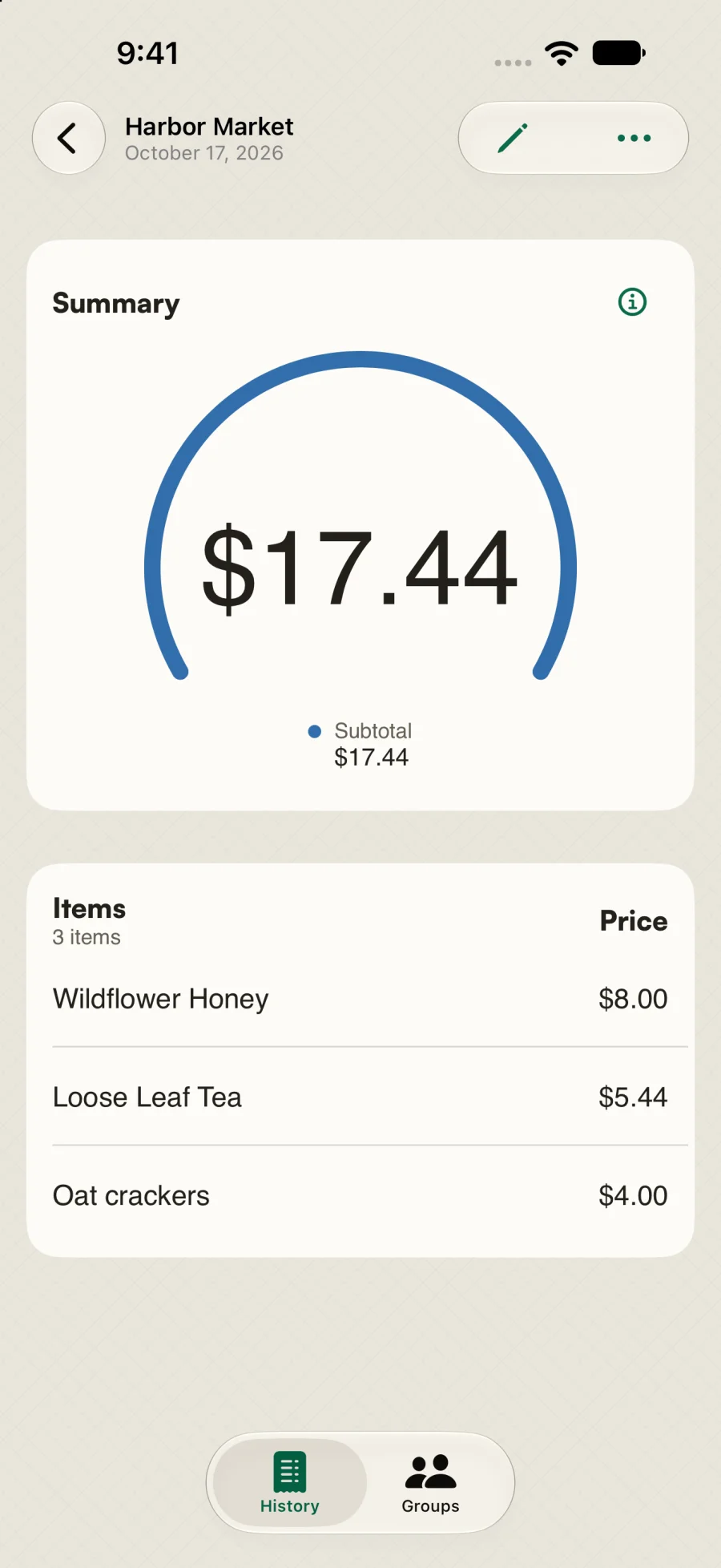
After dinner or a shared grocery shop, the work is still there: read the receipt, work out who had what, and keep a record you can find later. A photo saves the paper, but not the arithmetic.
Xpenshare lets you review the extracted items and totals before sharing. Keep the receipt for yourself, split it with people, or add it to a group for a trip, housemates, or regular dinners.
Take a photo, import from Photos or Files, or choose a page from a PDF. You can also enter a receipt manually without using a scan.
Review the items, totals, merchant, and date. Correct a value or add a missing item, with the original photo available to check.
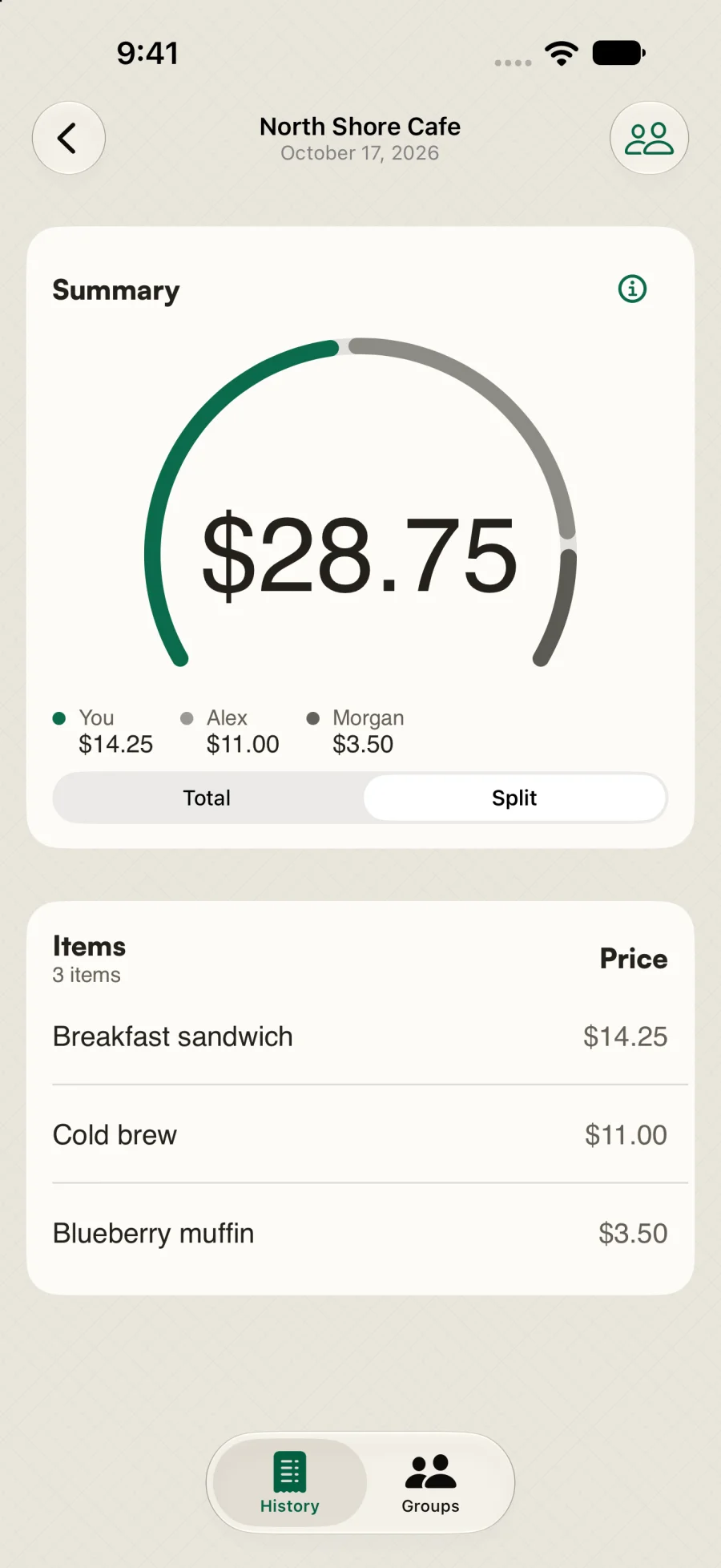
Keep it just for you, invite people, or choose a group. Split evenly or assign items, then see each person's share beside the receipt total.
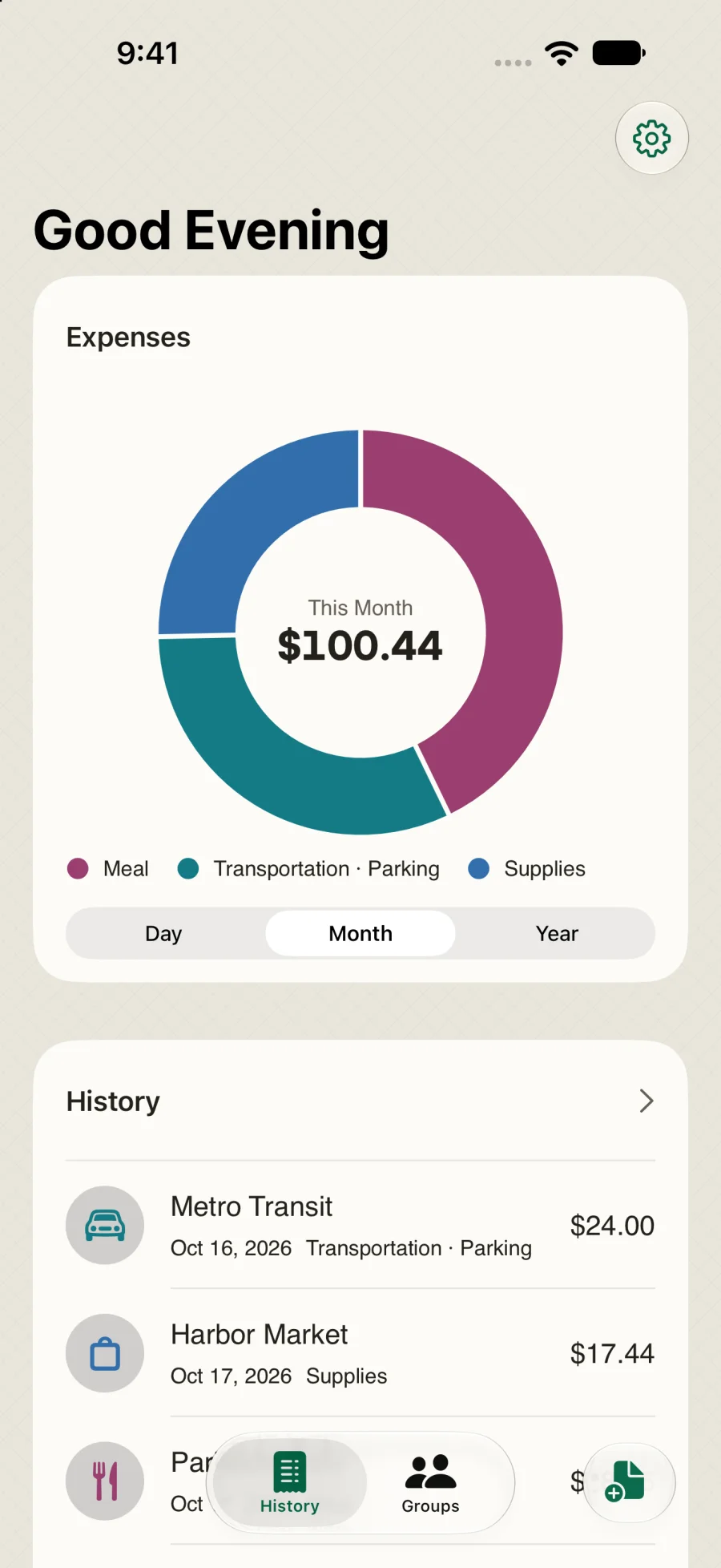
Find receipts in History and view recorded expenses by category, day, month, or year. Export complete receipts as CSV when you need them elsewhere.
AI can make mistakes. Review and correct extracted details before splitting or sharing; the source photo stays with the receipt.
Keep trip, household, or dinner receipts in one group. Split evenly or by item rather than doing the allocation again in a message thread.
Expenses tracks eligible recorded receipts and your share of group bills. It is not a bank feed, a payment service, or an automatic record of everything you spend.
Xpenshare is available for iPhone, iPad, and Mac. Start with the free tier or choose the optional one-time Unlimited unlock. No subscription.
Xpenshare turns receipt photos into itemized bills you can review, split, and keep. It combines editable receipt details, even or item-based splits, reusable groups, receipt history, and recorded-expense charts.
Yes. After reviewing a receipt, choose people or a group and split evenly or assign items. Xpenshare shows each participant's allocated share. These are expense shares, not a record of payments or outstanding balances.
Yes. Manual entry lets you add items, totals, a merchant, and a date, then choose whether to split the receipt. No scan is needed.
No. Apple scanning uses Private Cloud Compute on eligible Apple Intelligence devices running iOS 27, subject to Apple's availability and usage limits. Optional Hi-Fi AI uses Google's Gemini with separate permission before first use.
No. Xpenshare has a free tier and an optional one-time Unlimited unlock, not a subscription. Check the app for current tier limits and purchase details. Apple scanning availability and usage limits depend on your device and Apple services.
There is no separate Xpenshare account. Completed personal receipts and their source photos sync through your private iCloud database; unfinished scans remain on the device. Sharing and groups also use iCloud and require the relevant Apple services to be available.
No. It summarizes eligible receipts recorded in Xpenshare, using your allocated share for group bills. Choose day, month, or year and explore categories. Xpenshare does not connect to your bank or convert currencies automatically.
Yes. Export complete receipts as a CSV file from Settings. Receipt and split summaries can also be shared as images. Export is not a connection to accounting software or a tax-filing service.